

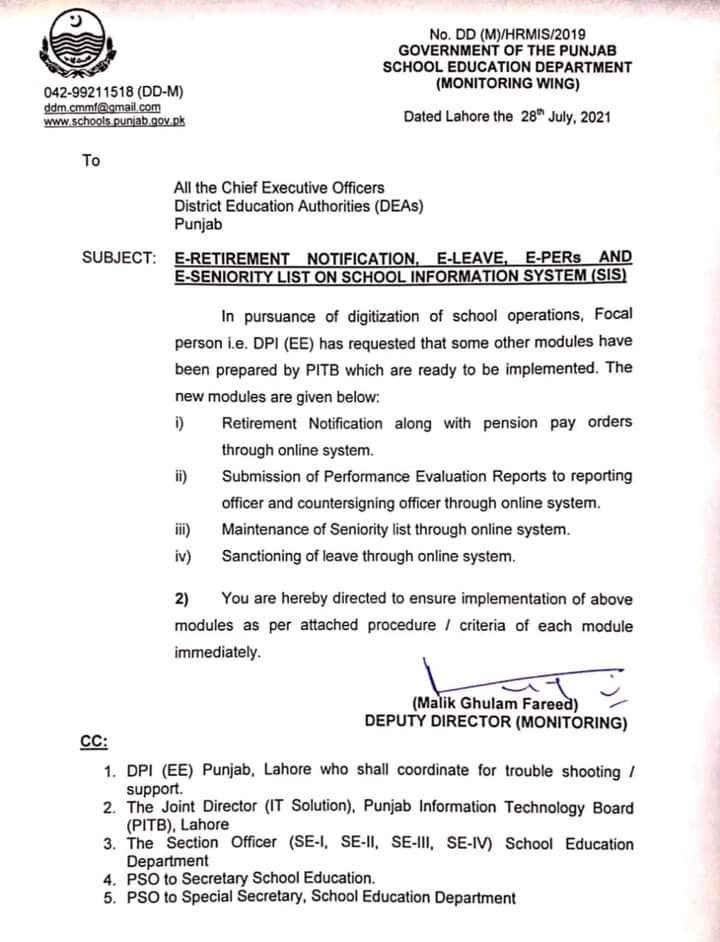
The School Education Department, Monitoring Wing, recently published a notification regarding the online system on SIS. The department issued the notice under Subject E-Retirement Notification, E-Leaves, E-PERs, and E-Seniority List on School Information System (SIS). According to the notification, the government has prepared some new online modules that are ready to implement. However, those new modules are the following.
- Retirement notification with pension pay order
- Performance Evaluation report submission to reporting and countersigning officer
- Seniority list maintenance
- Sanctioning of leave
At the same time, the department also provides the procedure to implement the mentioned modules immediately.
For your assistance, below are the procedures to apply for the latest online modules.
Leave Module
- Open HRMIS, login, and go to the leave Request to apply for leave.
- Read the government rule about casual leaves, fill the mandatory fields and proceed.
- You can check the leave status from the given option.
Manual for Seniority
- Open HRMIS, CEO log in with credentials.
- Then, go to the seniority management, seniority list, the select danger for listing, and update.
PER/ACR Module for Headteachers
- Open HRMIS; applicants log in with valid credentials.
- Go to the PER/ACR and click on the add button on the right
- Fill the form and submit it.